You can generate print-ready PDFs and structured data files directly from any D&D Beyond character sheet — no copy-paste, no manual entry. Click the extension icon while viewing a character sheet, choose your output, and save to your Downloads folder in seconds.

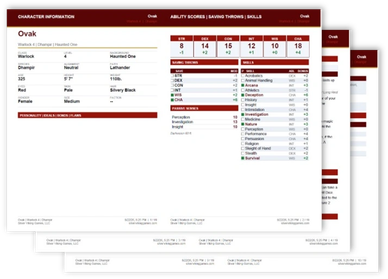
A complete multi-page character reference booklet, exported as either an A5 Booklet (print double-sided, fold and staple) or a standard US Letter portrait document.

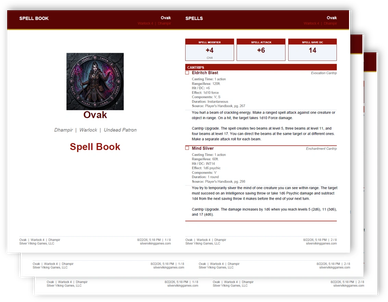
A standalone spell reference booklet for spellcasting characters, exported as an A5 Booklet or US Letter document.

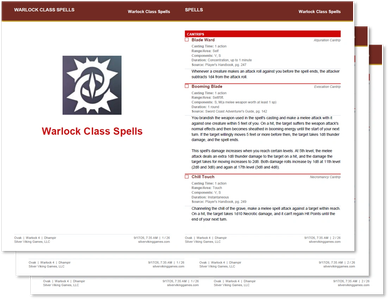
One PDF per spellcasting class (multiple files for multiclass characters), listing every spell available to that class — not just the character’s prepared or known spells — pulled from the “Manage Spells” panel on D&D Beyond.

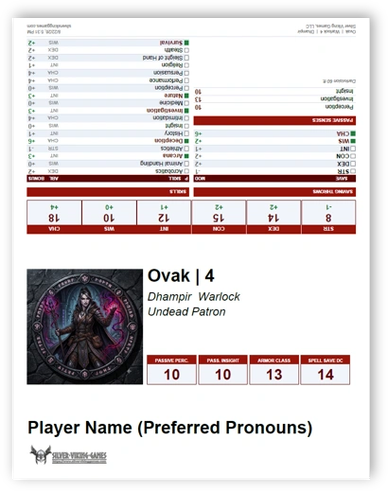
A single US Letter portrait PDF designed to fold and stand upright at the game table (recommend cardstock).

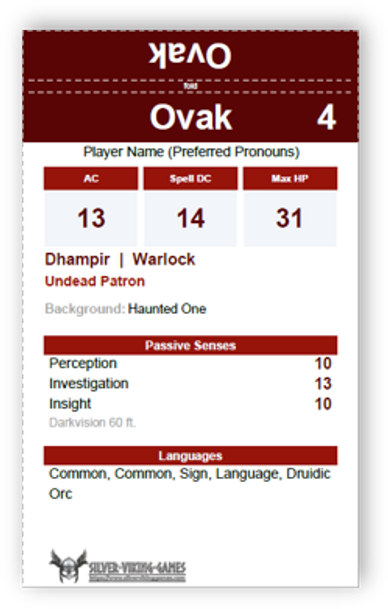
Four 3” × 5” index cards printed on a single US Letter sheet (recommend cardstock), designed to be cut out and used by the DM to track the party during combat.
D&D Beyond Character Tools lets you generate print-ready PDFs and structured data files directly from any D&D Beyond character sheet — no copy-paste, no manual entry. Click the extension icon while viewing a character sheet, choose your output, and save to your Downloads folder in seconds.
D&D Beyond Character Tools is now in the Chrome Web Store!
If you prefer installing an earlier version, please follow these steps.
Steps:
1. Download the preferred zip file from the list below.
2. Extract the zip file to a permanent folder on your computer (e.g., `Documents\ddb-character-tools`). Do not delete this folder after installing — Chrome loads the extension from it each time.
3. Open Chrome and navigate to `chrome://extensions` in the address bar.
4. Enable Developer Mode using the toggle in the upper-right corner of the Extensions page.
5. Click "Load unpacked" and select the folder you extracted in step 2.
6. The extension icon will appear in your Chrome toolbar. You may need to click the puzzle-piece icon (Extensions) and pin D&D Beyond Character Tools to keep it visible.
To use the extension:
1. Navigate to any character sheet on dndbeyond.com (e.g., `dndbeyond.com/characters/12345`).
2. Click the D&D Beyond Character Tools icon in your toolbar.
3. Choose your output type, configure any options, and click Generate.
4. The file is saved automatically to your Downloads folder.
To update to a new version:
1. Download and extract the new zip to the same folder, replacing the existing files.
2. Go to `chrome://extensions`, find D&D Beyond Character Tools, and click the reload (↺) button.
All character data processing occurs entirely on your local device — no character data, personal information, or usage data is ever transmitted to any external server by this extension without your permission. The D&D Beyond Character Tools extension requires the following permissions solely to perform its stated functions:
activeTab, scripting and tabs are used to read your D&D Beyond character sheet page in order to extract character data for PDF and Markdown generation.
downloads is used to save generated files directly to your device.
storage and cookies is used to store your display preferences (header and section colors), identifiers and file counters; as well as, if provided, your player name, preferred pronouns, and usage telemetry consent — all stored locally on your device within the dndbeyond.com domain.
host_permissions for *.dndbeyond.com restricts the extension from operating on any other website.
If Usage Telemetry is enabled in Settings, anonymized product usage information (feature invocations only, with no character or personal data) may be collected by Silver Viking Games, LLC for internal product improvement purposes and will never be sold, shared, or distributed to third parties.
Latest Version
Become a supporter by joining our Patreon community!
Copyright © 2026 Silver Viking Games - All Rights Reserved.
D&D Beyond Character Tools is unofficial Fan Content permitted under the Fan Content Policy. Not approved/endorsed by Wizards. Portions of the materials used are property of Wizards of the Coast. ©Wizards of the Coast LLC.
We use cookies to analyze website traffic and optimize your website experience. By accepting our use of cookies, your data will be aggregated with all other user data.